TeenCycle had two major updates since launch. Version 1.5 added moods and notes. Version 1.6 puts them on the calendar, lets you choose when reminders arrive, adds five languages, and fits folding phones, the iPhone Duo and tablets.
Available. Update your app to get the latest version.
The basics are the same. There is still no account, no cloud and no ads, and everything you log stays on your phone.
Here is each change, with the screens.
A mood for each day.
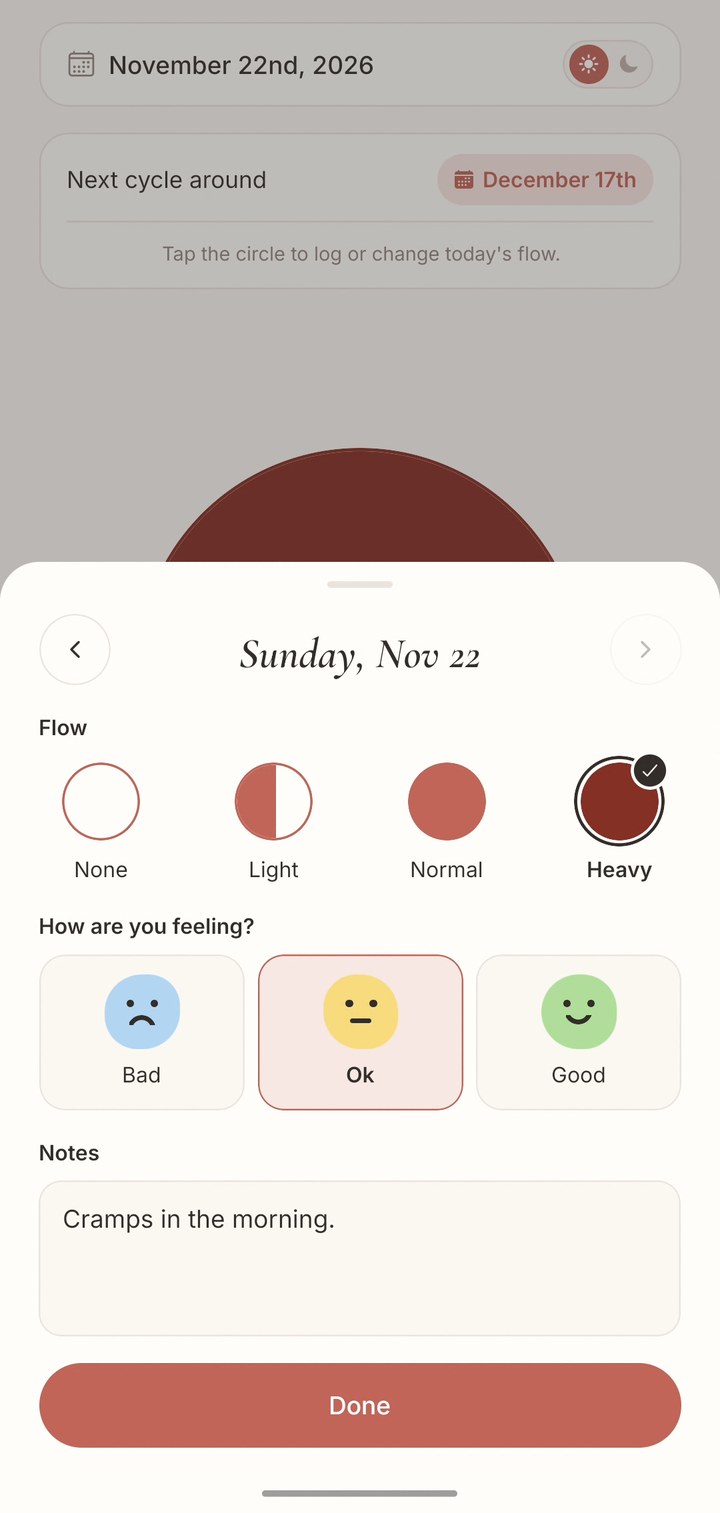
Since 1.5, every day has its own sheet. Tap the mood button under the circle on Today, or tap any day on the calendar, and it opens.
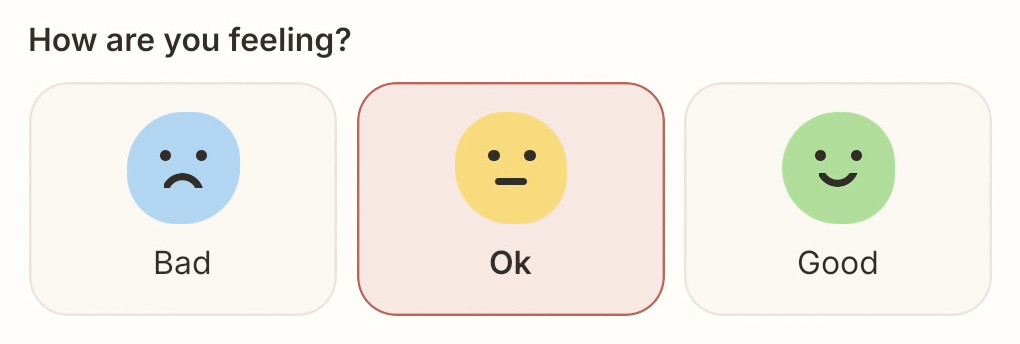
The sheet asks “How are you feeling?” and gives three answers: bad, ok or good. That’s the whole scale. In 1.6 the emojis became three drawn faces, blue for bad, yellow for ok and green for good.
A mood is optional. A day can stay as simple as one tap on the circle.
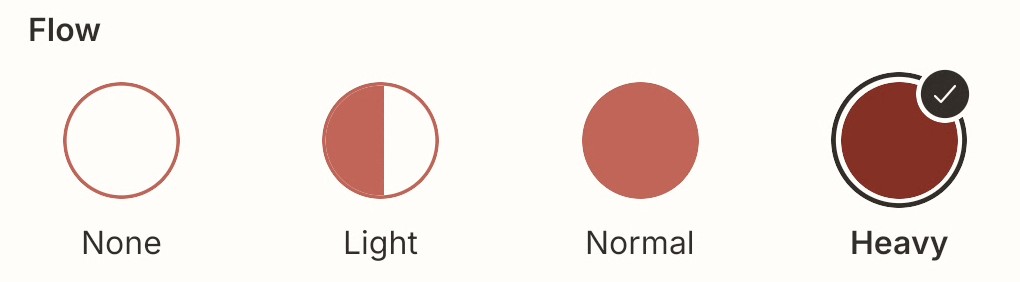
Flow is on the same sheet. Version 1.5 added heavy as a fourth choice, next to none, light and normal, and 1.6 puts a tick on the one you picked.
A note, in your own words.
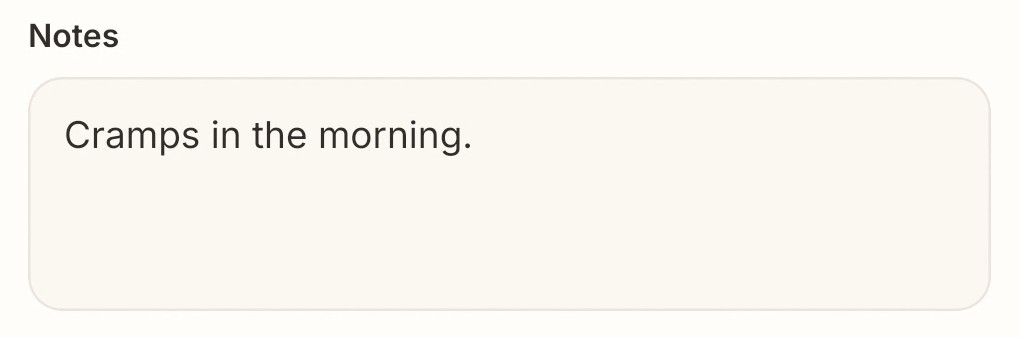
Under the mood there is a notes box. Write anything about the day, or leave it empty.
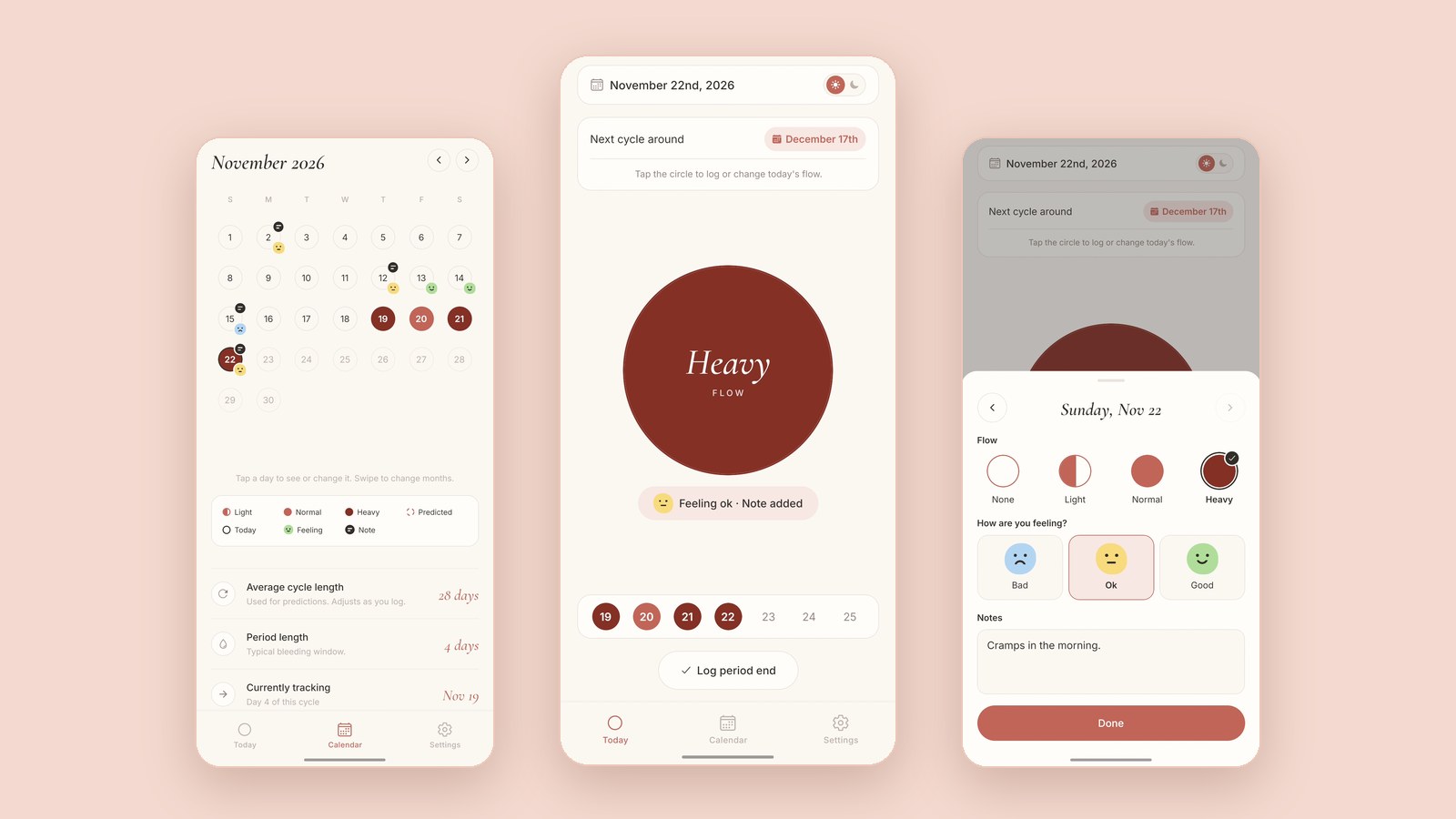
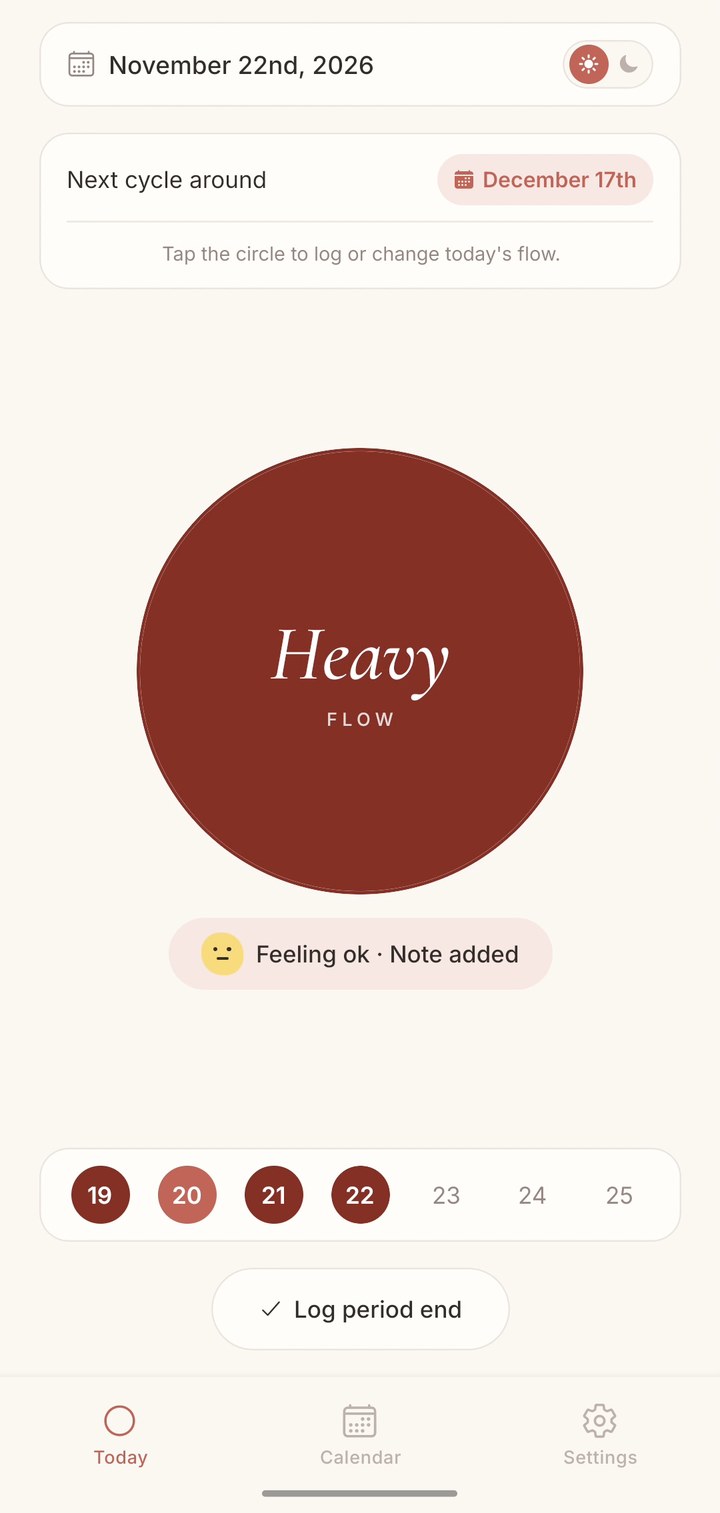
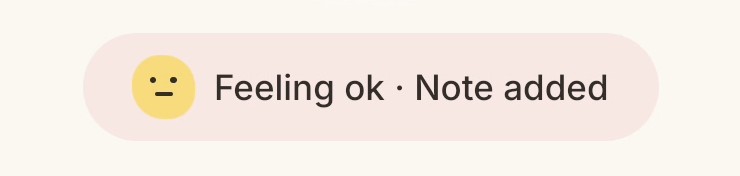
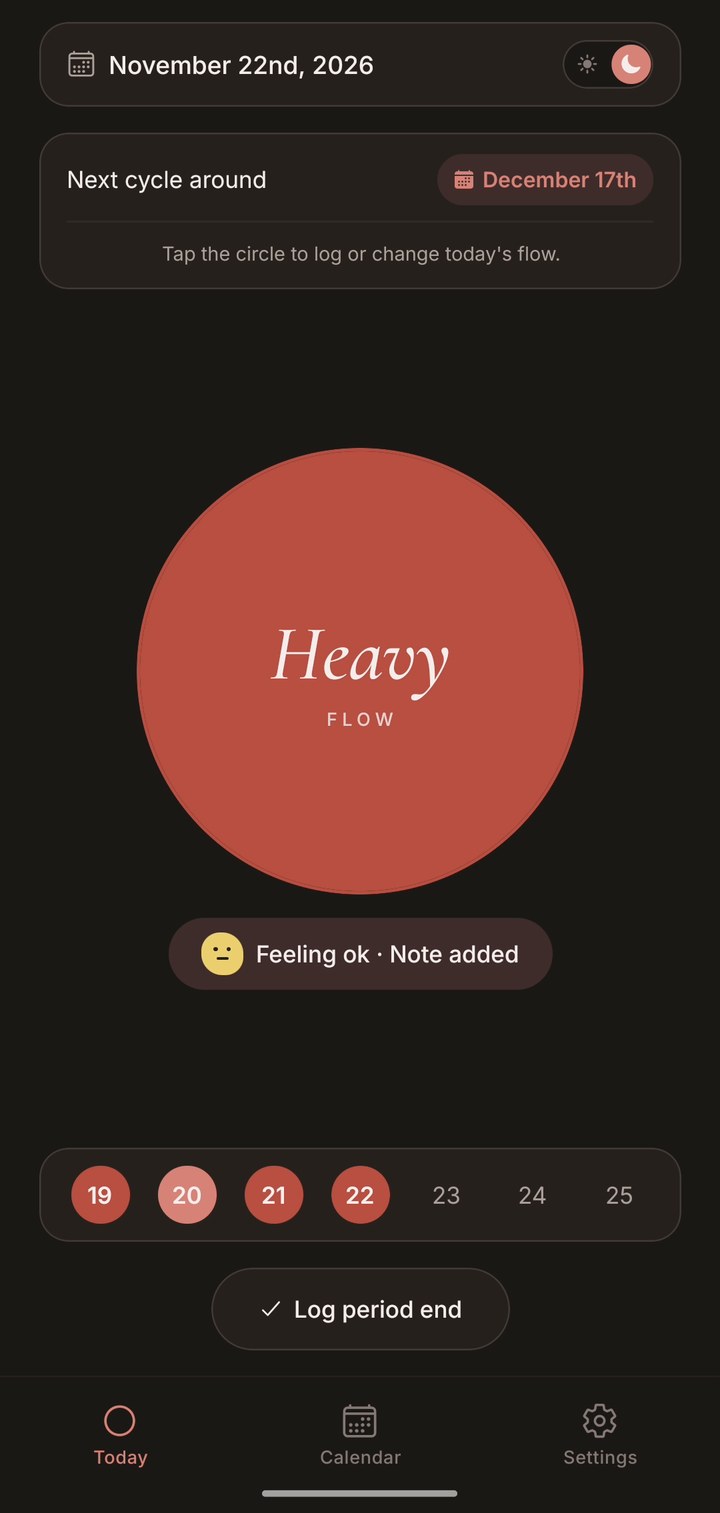
When a day has a mood or a note, Today says so under the circle, for example “Feeling ok · Note added.” Tap that line to open the day again.
Notes follow the same rule as everything else in the app. They are saved on your phone and nowhere else. We can’t read them, because they never reach us.
The backup file you can export from Settings now includes your moods and notes. Anyone who has that file can read it, so keep it somewhere private.
A calendar that shows the whole month.
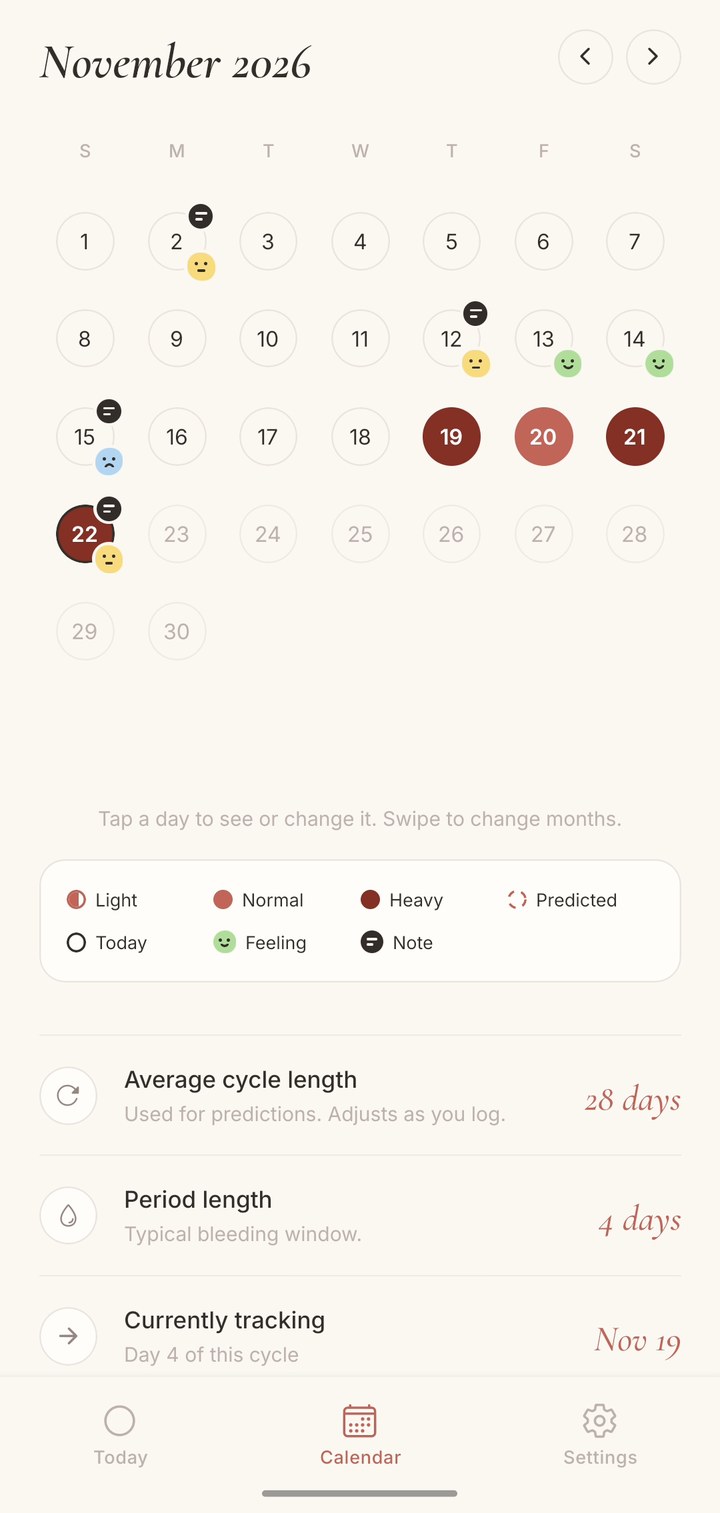
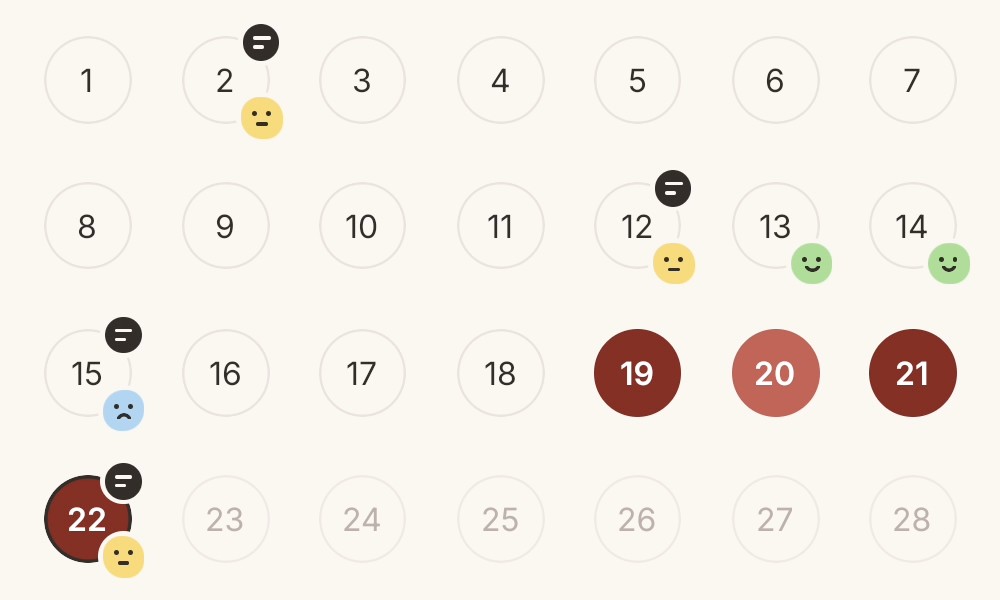
In 1.6 the calendar shows moods and notes too, so you can read a month without opening each day.
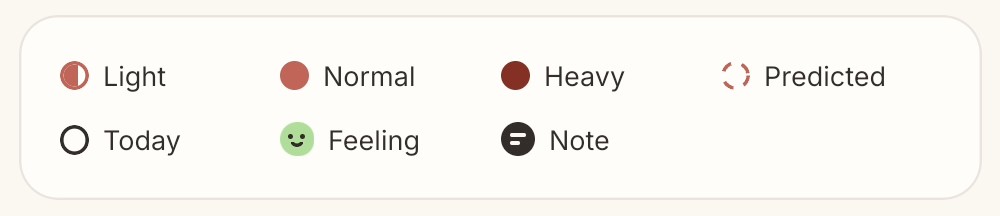
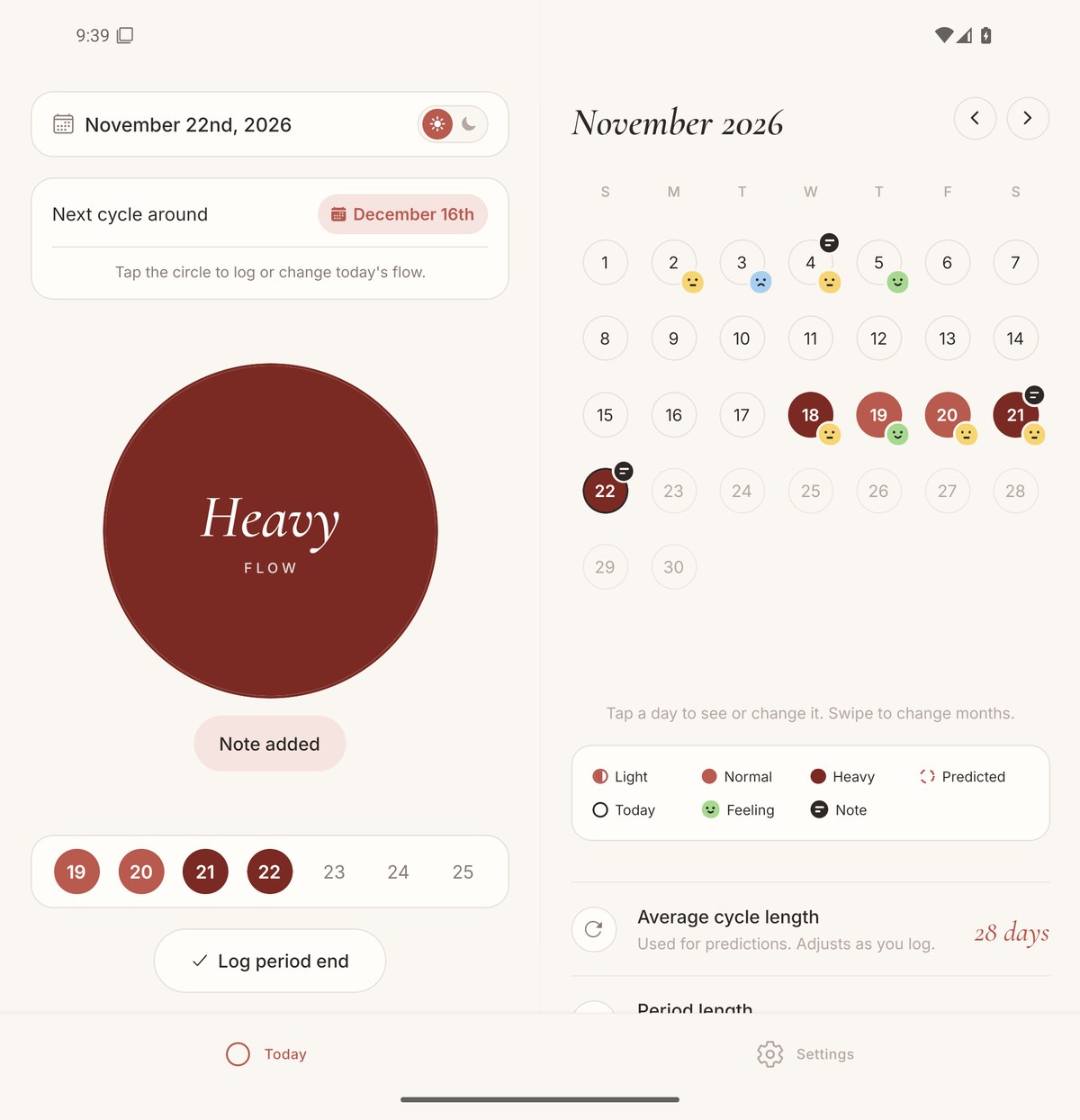
Every day is a circle with a light outline. Period days are filled in, half for light, red for normal and dark red for heavy. The day’s mood face sits at the bottom right of the circle. A small dark mark at the top right means the day has a note.
Days when your next period is likely have a dashed outline. That date is an estimate, and it adjusts as you log.
Tap any day to open its sheet, and swipe to change months. The key under the grid explains each mark.
Reminders on your day and time.
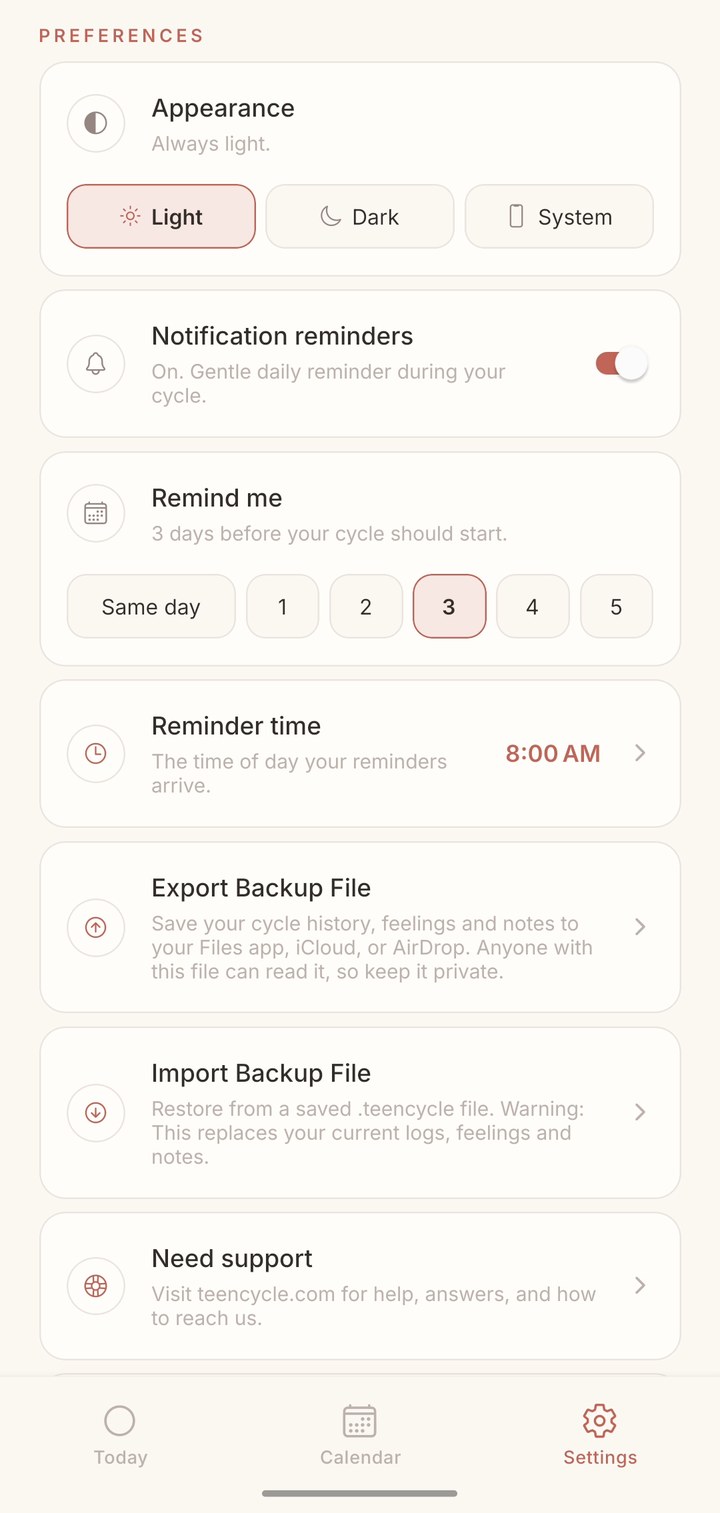
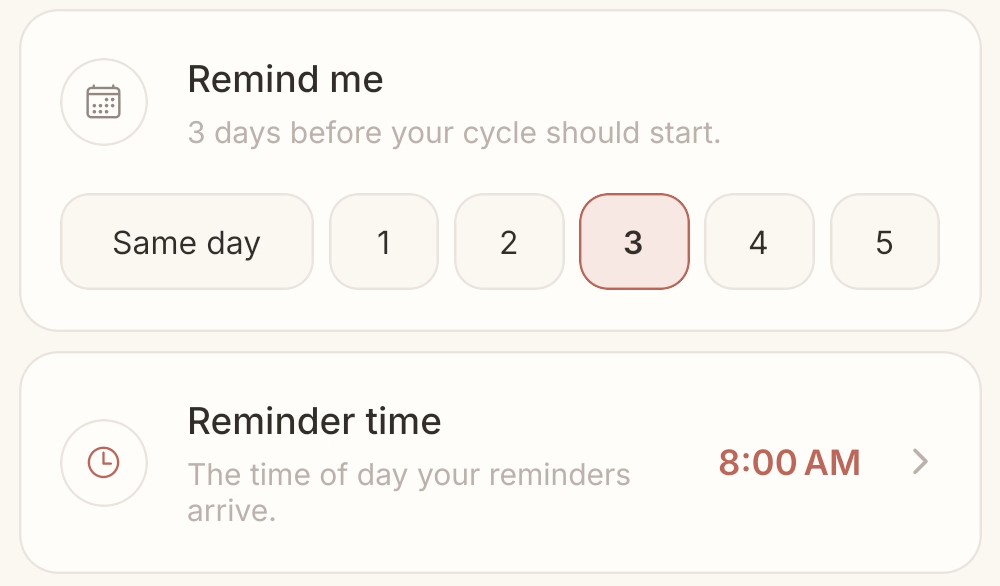
TeenCycle can remind you before your next period is likely to start. In 1.6 you choose when.
First pick the day, either the day your cycle is predicted to start or 1 to 5 days before it. Then pick the time. The daily reminder to log during your period arrives at the same time.
The reminders are made on your phone. Nothing is sent from a server, because we don’t have one.
The predicted date is an estimate. It gets closer as you log more cycles, and it can still be off. TeenCycle is a tracker, not a medical device. If something about your cycle feels off, talk to a doctor.
Five new languages.
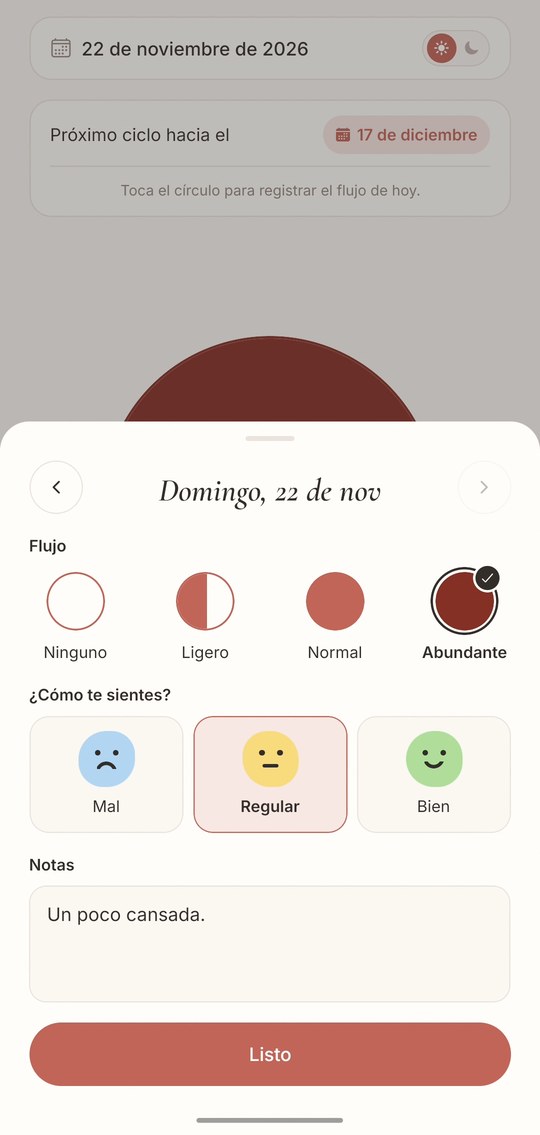
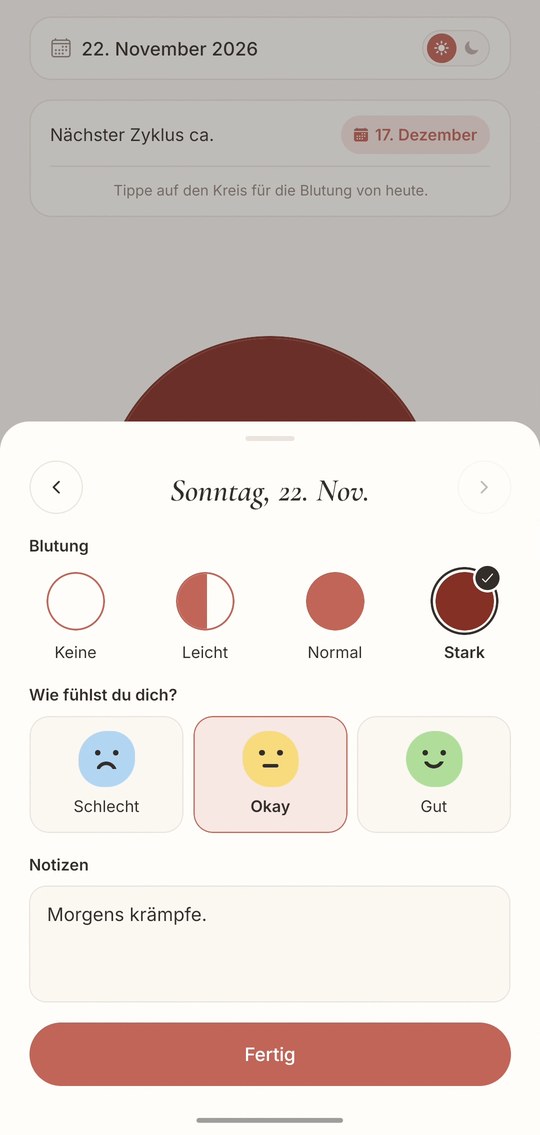
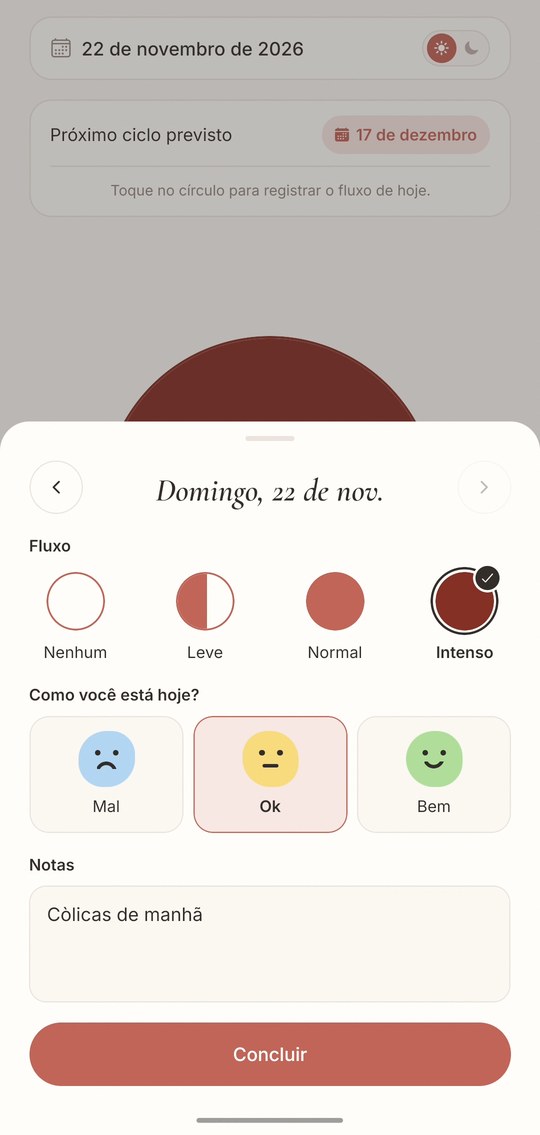
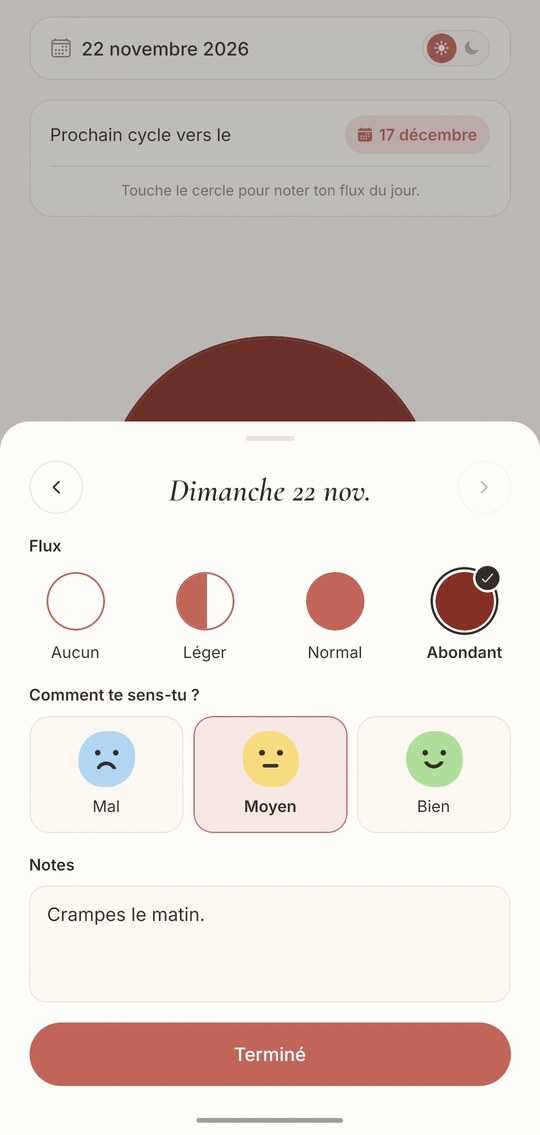
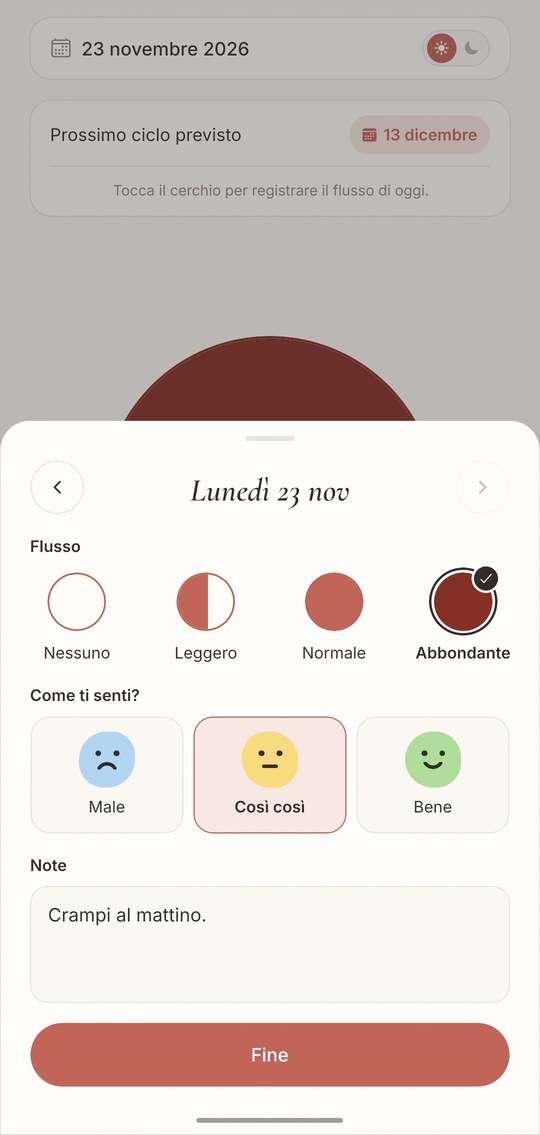
TeenCycle 1.6 comes in Spanish, German, Portuguese, French and Italian, as well as English.
There is no language switch inside the app. It follows the language of your phone. If you want TeenCycle in a different language from the rest of your phone, iPhone and Android both let you set a language for one app in the phone’s settings.
Dates are written the way each language writes them, and the week starts on the day your region uses.
Folding phones, the iPhone Duo and tablets.
Version 1.6 fits screens that fold.
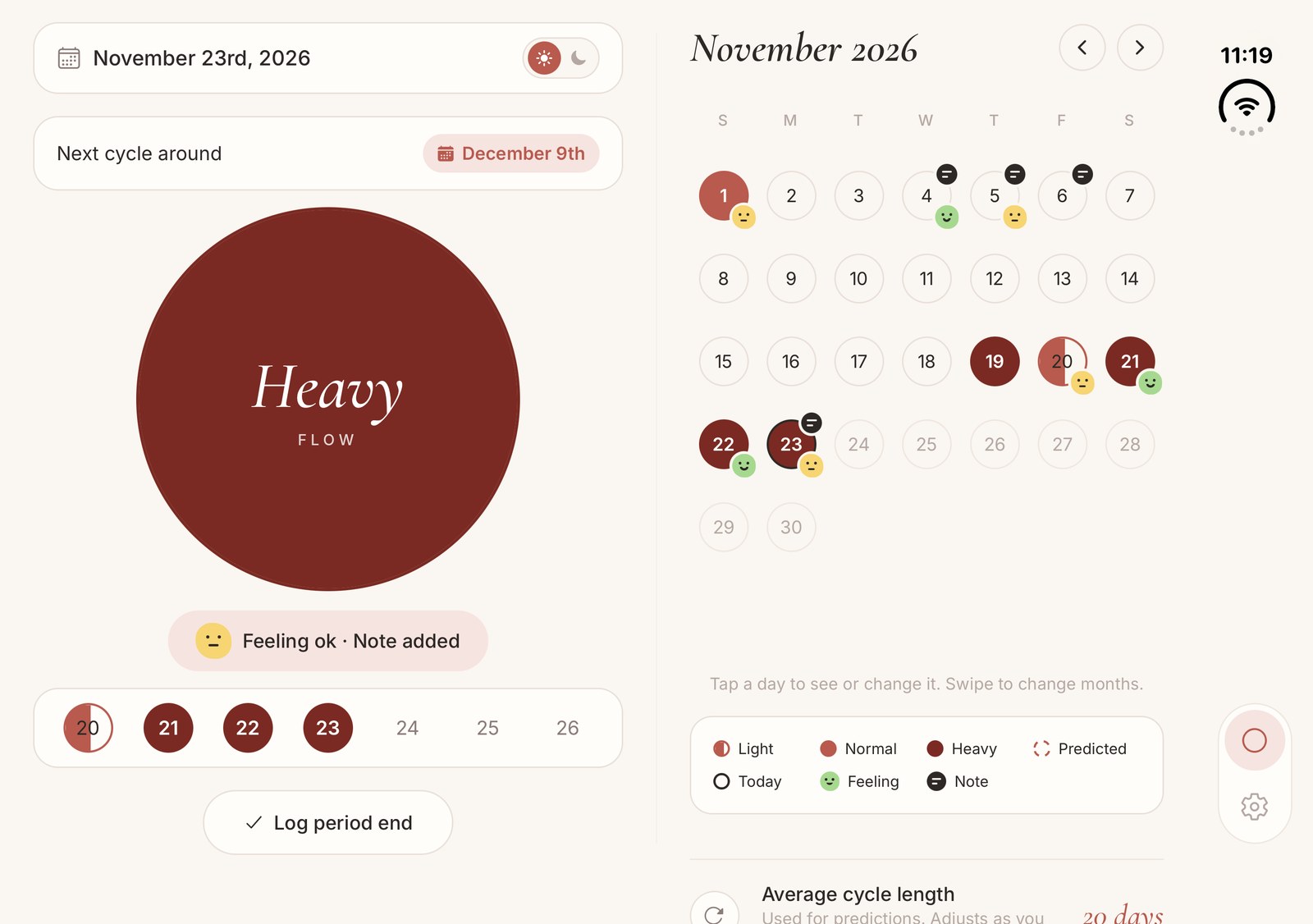
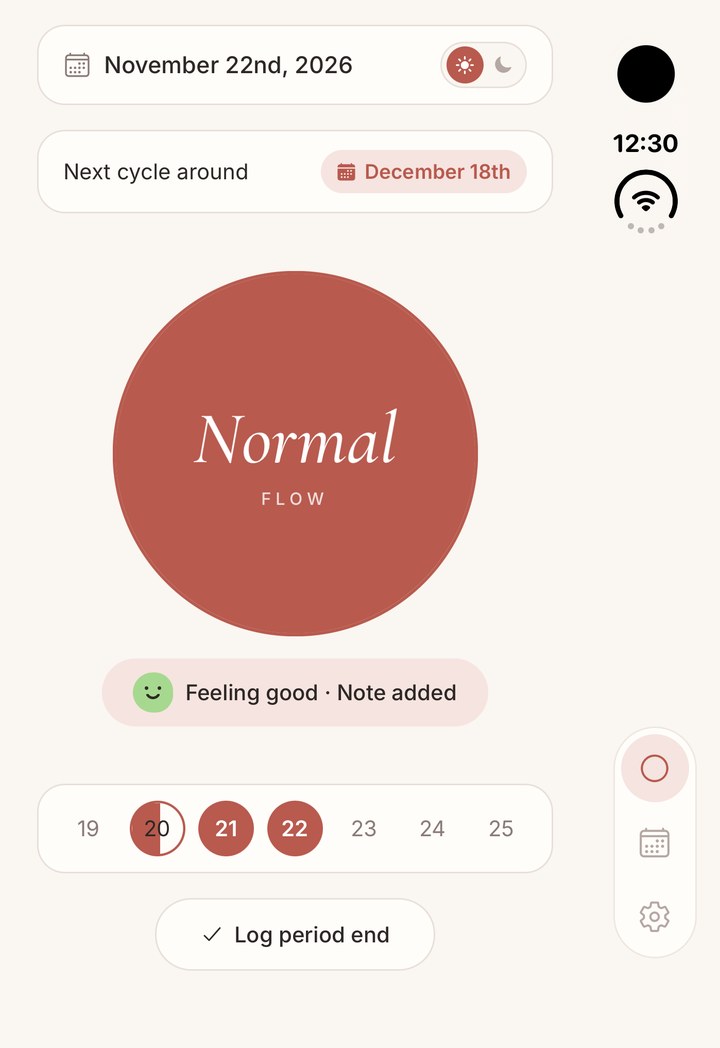
Closed, a folding phone shows TeenCycle the way any phone does. On the iPhone Duo the three tabs move into the rail at the side, so the bottom of the screen stays clear.
Open the phone and there is room for two screens. Today sits on the left and the calendar on the right, so you can log a day and see the month without changing tabs. Tablets get the same two screens.
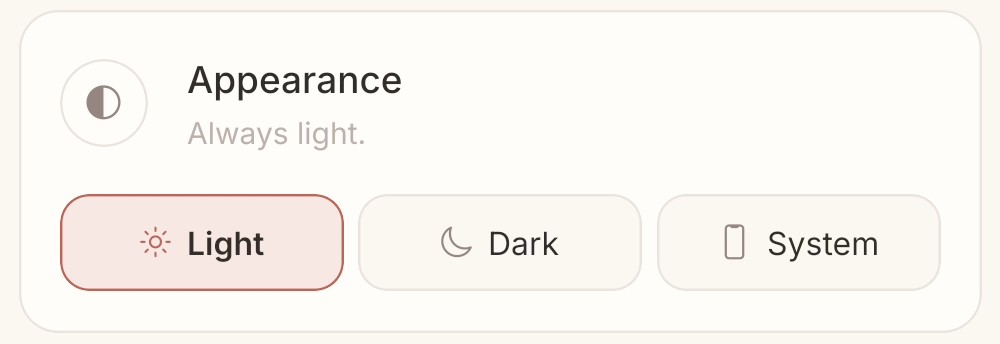
Light, dark, or follow the phone.
Appearance used to be a switch between light and dark. In 1.6 there is a third choice, System, which follows your phone. If you already picked light or dark, the app keeps it.
If you already have TeenCycle, both updates are yours. Update the app from the App Store or Google Play, and your logs stay where they are.
If you haven’t tried it, TeenCycle is on iOS and Android. It is free for 30 days, then $19.99 once. The support page has the steps for adding a mood or a note, and what we left out explains the features we chose not to build.
Lau
Quick answers.
What is new in TeenCycle 1.6?
Five new languages (Spanish, German, Portuguese, French and Italian), a calendar that shows each day’s mood and note, reminders on a day and time you choose, layouts for folding phones, the iPhone Duo and tablets, and a System option for light and dark.
Does TeenCycle track mood?
Yes. Since version 1.5, each day can have a mood: bad, ok or good. It is optional, and it stays on your phone.
Can I write notes in TeenCycle?
Yes. Each day has a notes box. Notes are saved on your phone and nowhere else. The backup file you can export from Settings includes them, so keep that file private.
Which languages is TeenCycle in?
English, Spanish, German, Portuguese, French and Italian. The app follows the language of your phone.
Does TeenCycle work on folding phones and the iPhone Duo?
Yes. Closed, it looks the way it does on any phone. Open, it shows Today and the calendar side by side. Tablets get the same two screens.
Can I choose when TeenCycle reminds me?
Yes. In Settings, pick the day your next cycle is predicted to start or 1 to 5 days before it, then pick a time. The date is an estimate.
Do the updates cost anything?
No. TeenCycle is free for 30 days, then $19.99 once. Versions 1.5 and 1.6 are part of that.